Author Archives: eloranta

Alerts for 6m DX condx

In order to better catch 6m DX conditions, I wrote a small program to alert me about the band openings (called ealert). I have WSJT-X Improved running 24/7 with filters set to DX only, so it will broadcast only those decodes (see WSJT-X network settings). The program then catches those UDP multicast messages, parses them, and forwards them either to a given email address or XMPP address (using Gajim). The latter works better for me since it does not litter my email box. It has a simple GUI that allows turning the alerts on/off. I have XMPP client (Conversations app) on my cell phone that catches the alerts.

Even when I am not at the radios, I can use my cell phone to run VNC remote desktop to my station and run FT8 QSOs. This combined with the alert system should improve my presence on 6m whenever the band opens up.

Lightning protection

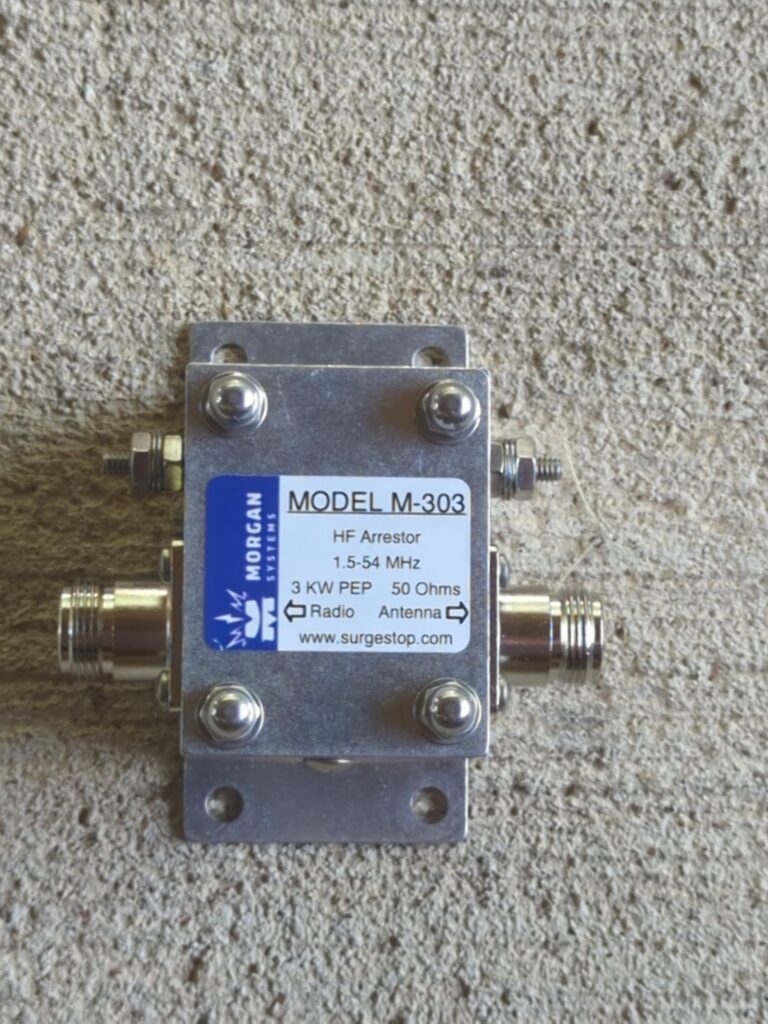
Installed Morgan M-303 lightning protection to all coax cables:

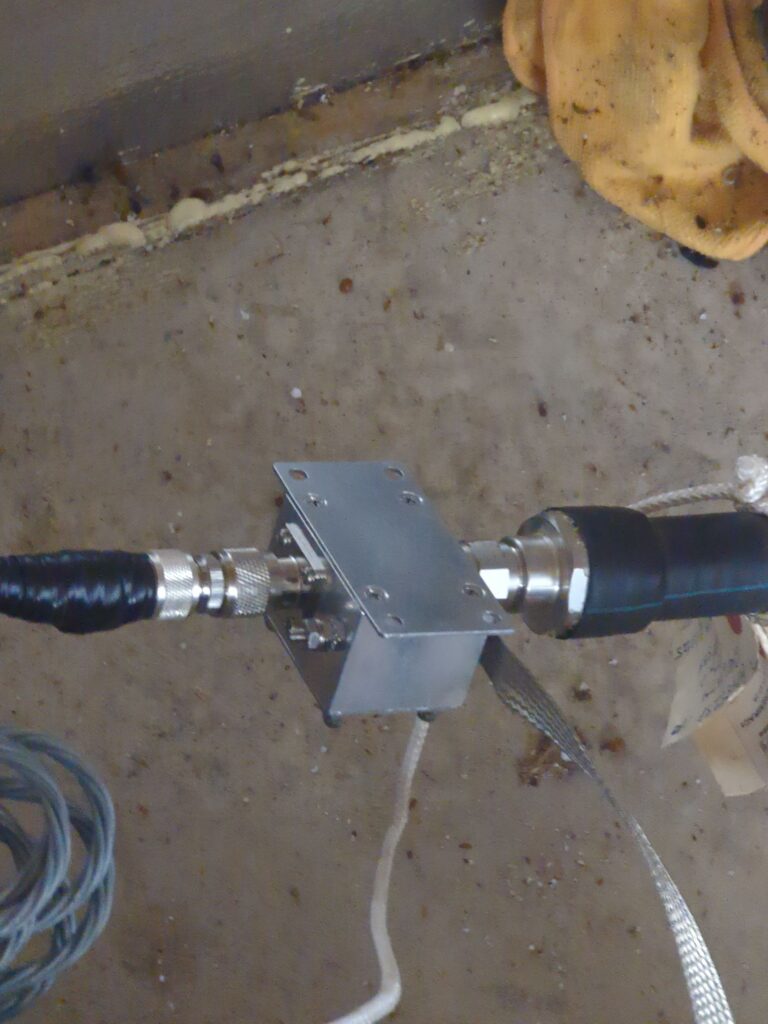
It is not fully weatherproof so decided to install the first one inside the shack:

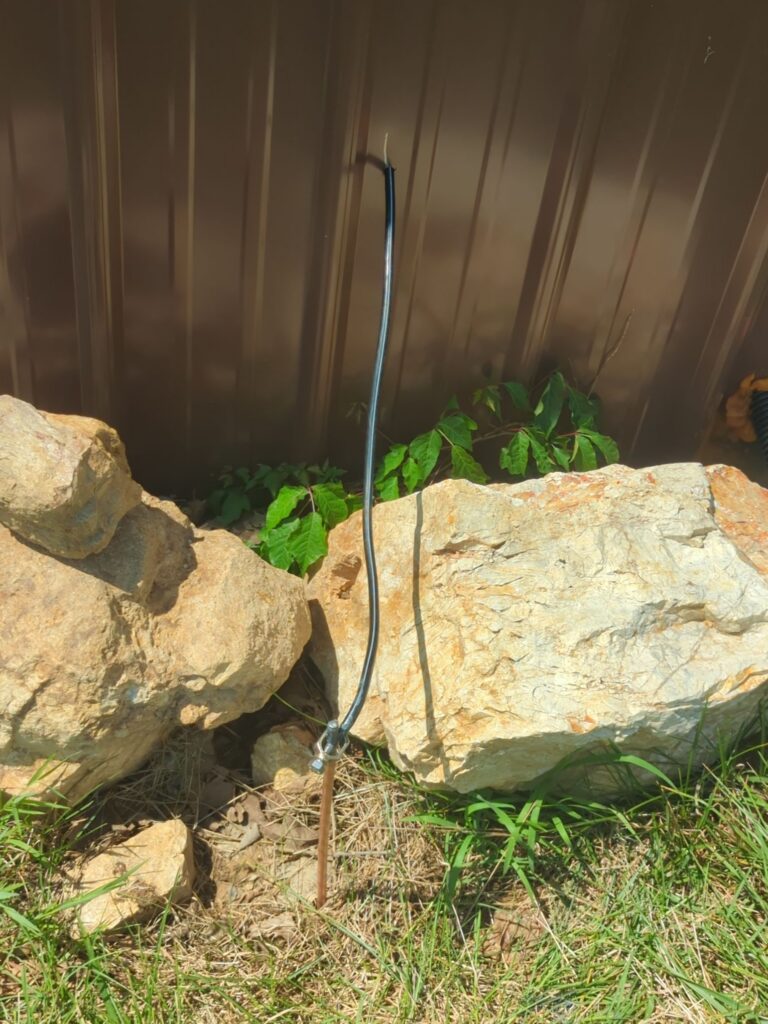
with grounding outside the shack:

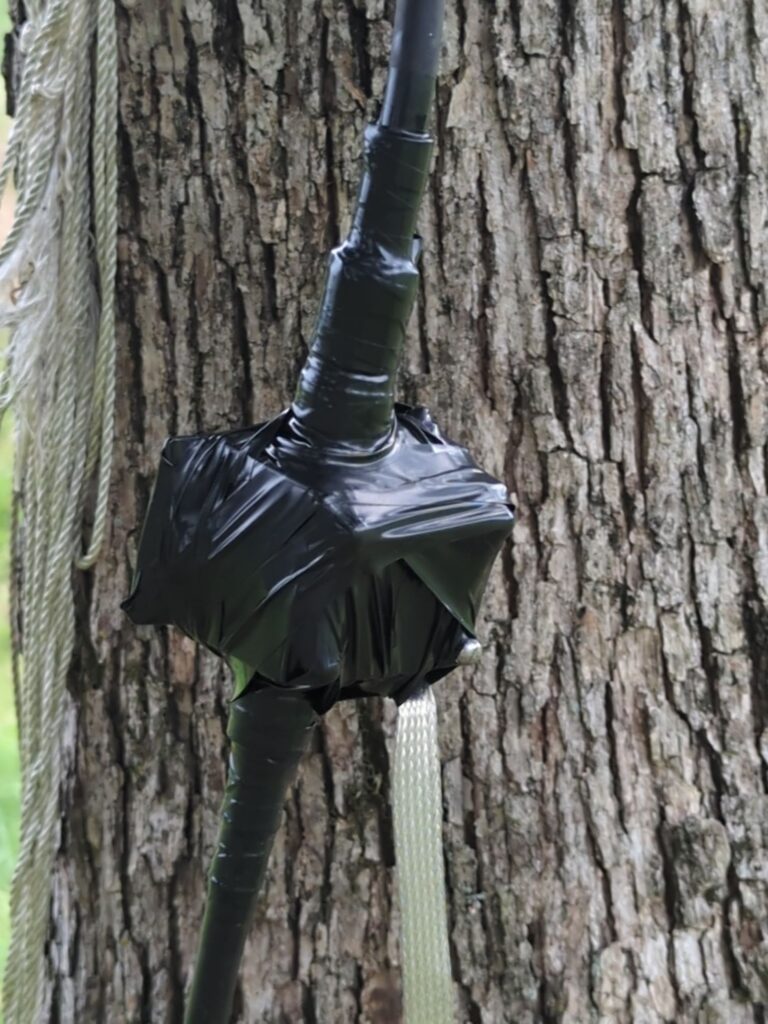
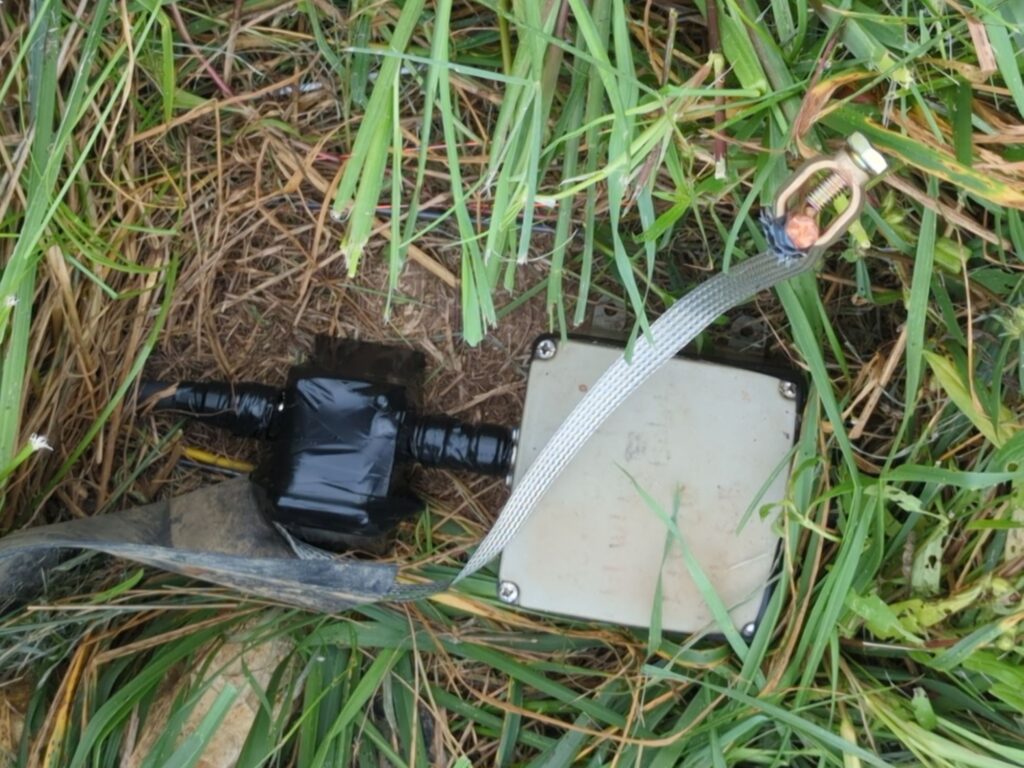
The other two units are outside and just in case I wrapped everything with electrical tape:

I always disconnect all cables during lightning stroms but this is just to protect against those random strikes…

One interesting feature of this unit is that it fully blocks DC. This is important during rain/snow/sleet precipitation when static electricity can develop at the antennas and appear at the coax cable. I experienced this last winter when my K4 suddenly started flashing overload!

Note: This unit can handle full legal power on 6m band unlike most other surge protectors (e.g., polyphaser).

Update: If you have antenna that has elevated SWR (greater than 2), the DC block circuitry in the unit can heat up and cause gradual increase in SWR when using full power (1500W) on digital modes like FT8. There is a beefier unit in preparation, model 305, but that does not support 6m like the 303. It is possible to bypass the DC block in 303 to avoid this issue. Or even better, tune the antenna properly…

Mice and BOGs do not mix!

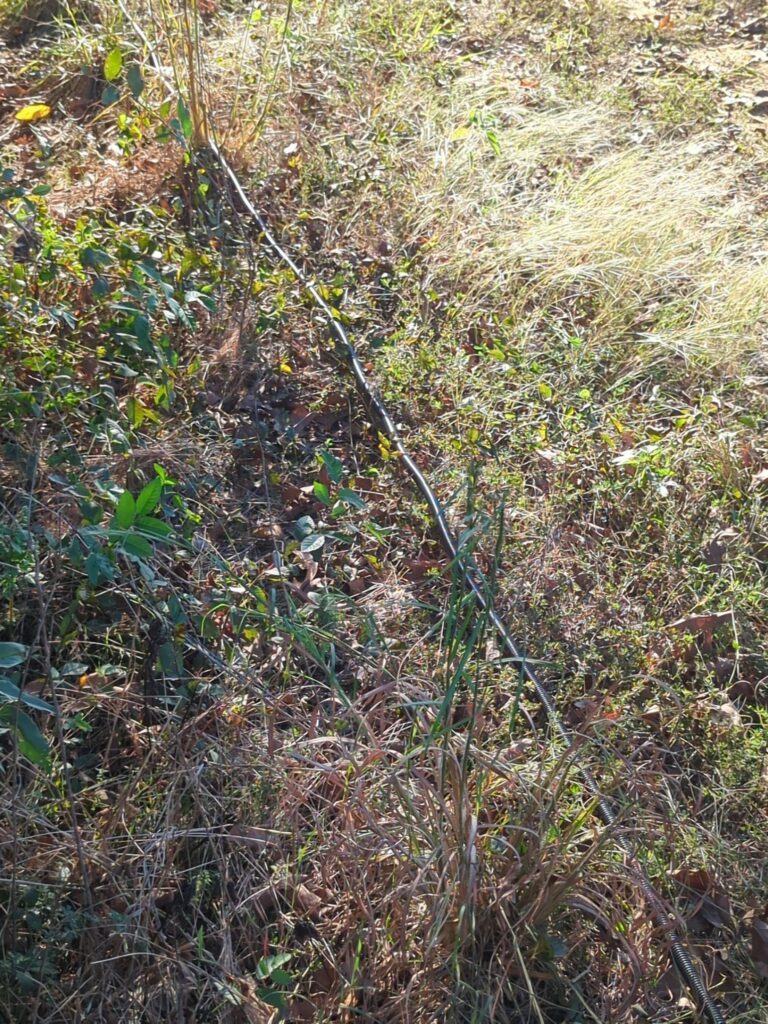
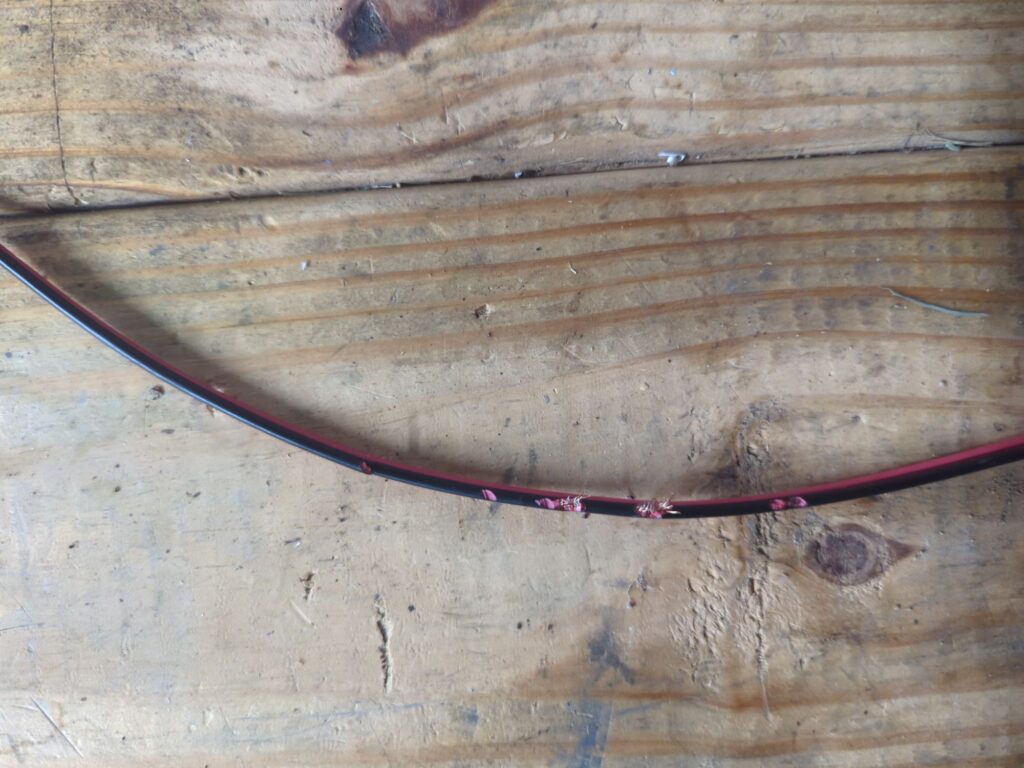
My NW/SE BOG suddently went dead. It had 30 dB less signal than on the NE/SW BOG. After inspection, I found the obvious reason:

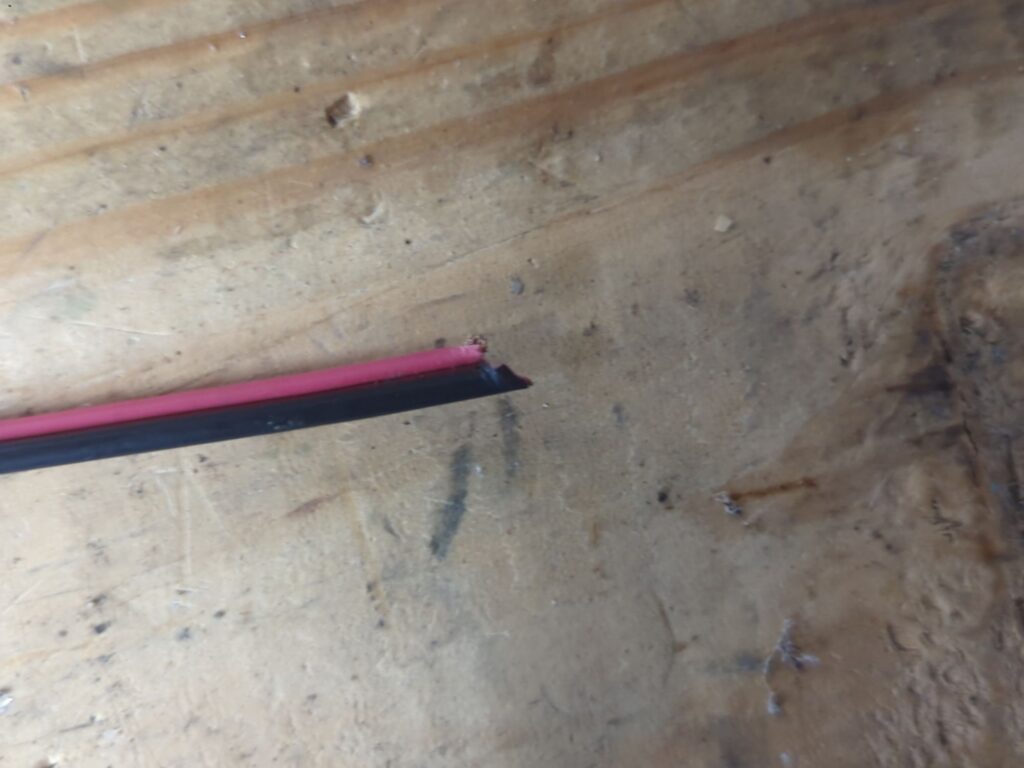
and then this one was the “final straw”:

Added a fresh piece of cable there and all is well again. However, I definitely need to get better/thicker cable for my BOGs so that mice can’t chew them through.

Update: There are apparently wire coatings that are either rodent proof or have some chemical added that they taste bad. Need to look into this.

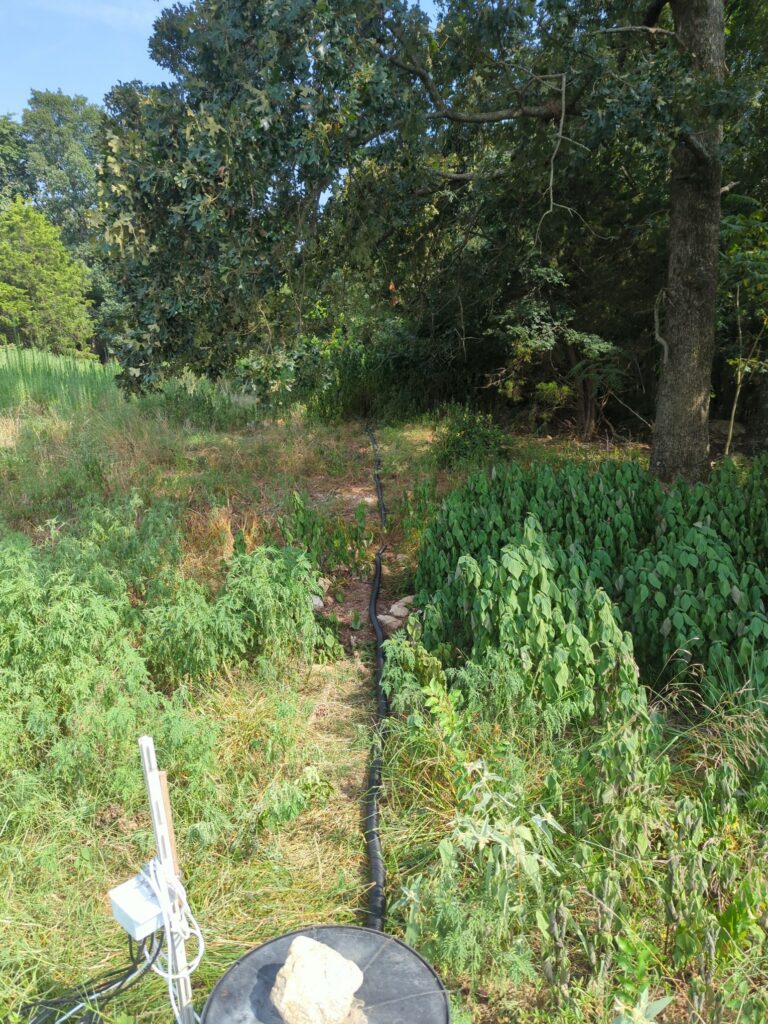
Update 2: I installed conduit in the area where the critters were feasting:

Temperature & humidity monitoring of my shack

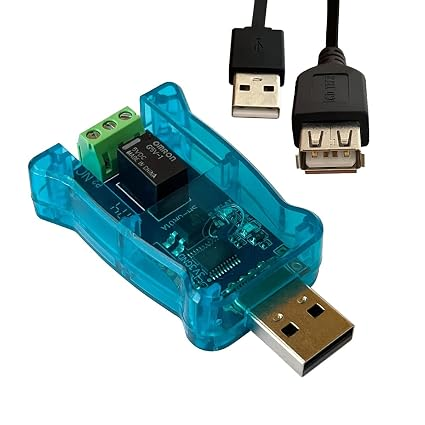
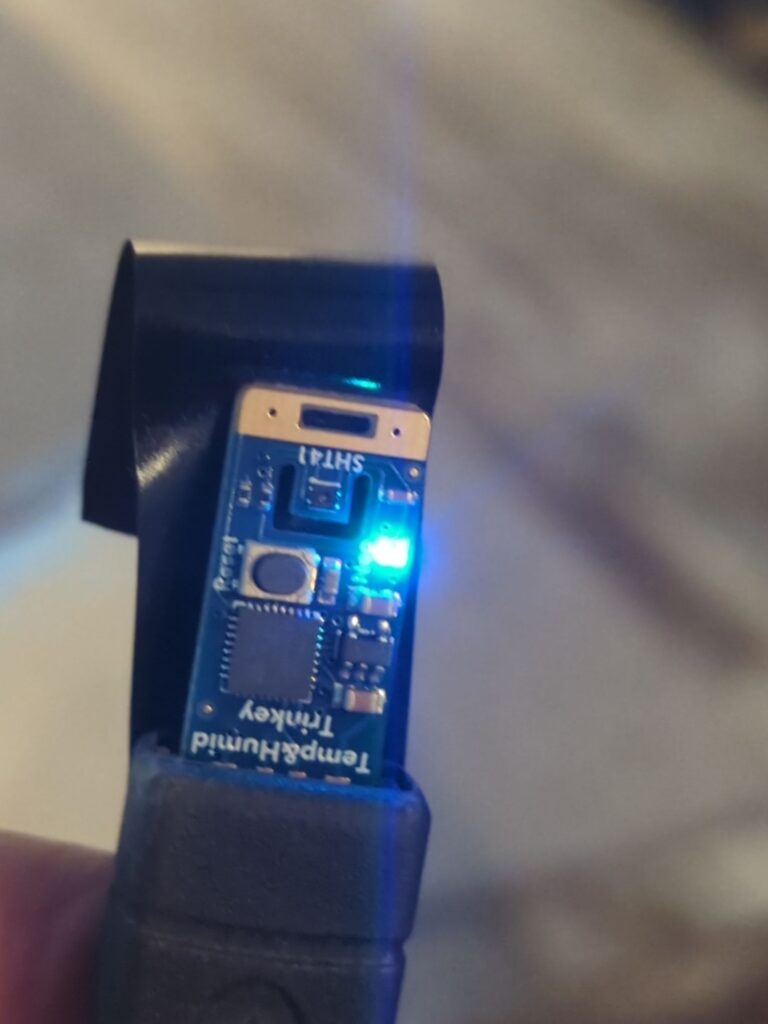
Due to humid summers and “cold” winters in Arkansas, I need to keep an eye on how the temperature and humidity are in my shack. So, I decided to use Adafruit SHT4x Trinkey M0 USB half-key device for this purpose. It costs about $10. The GTK+4 code (Linux) that I wrote can be found from github. This is what the device looks like:

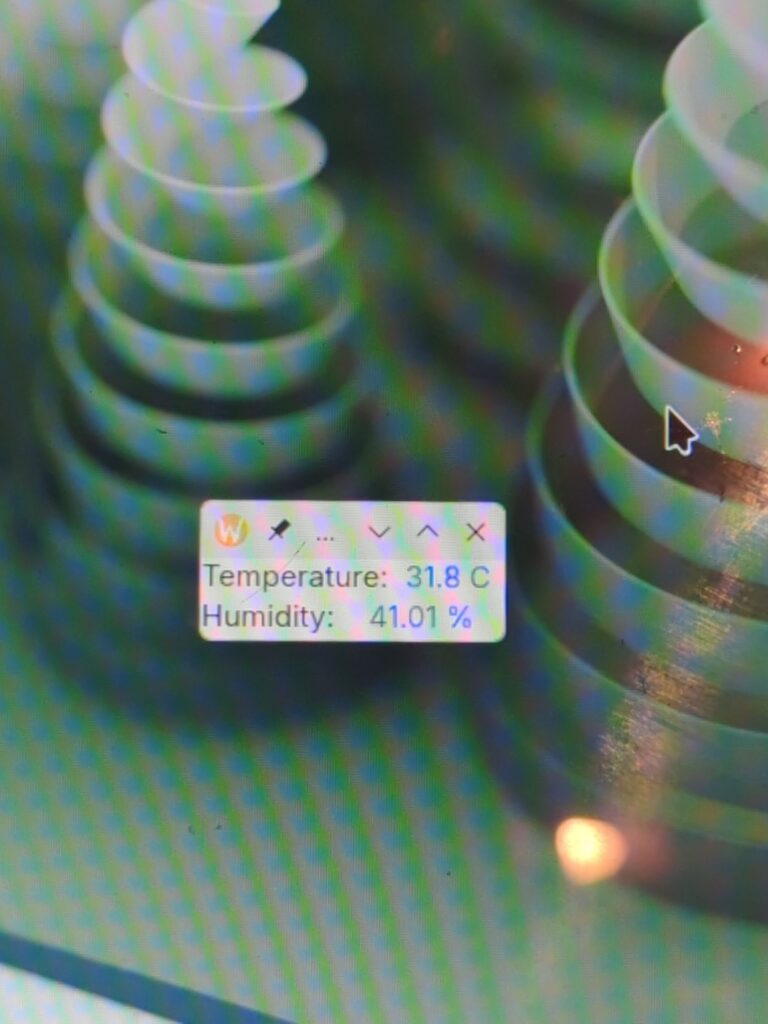
Since it is USB A half-key, I used electrical tape to secure it to the USB extension cable. Here is what the simple GTK+4 widget looks like:

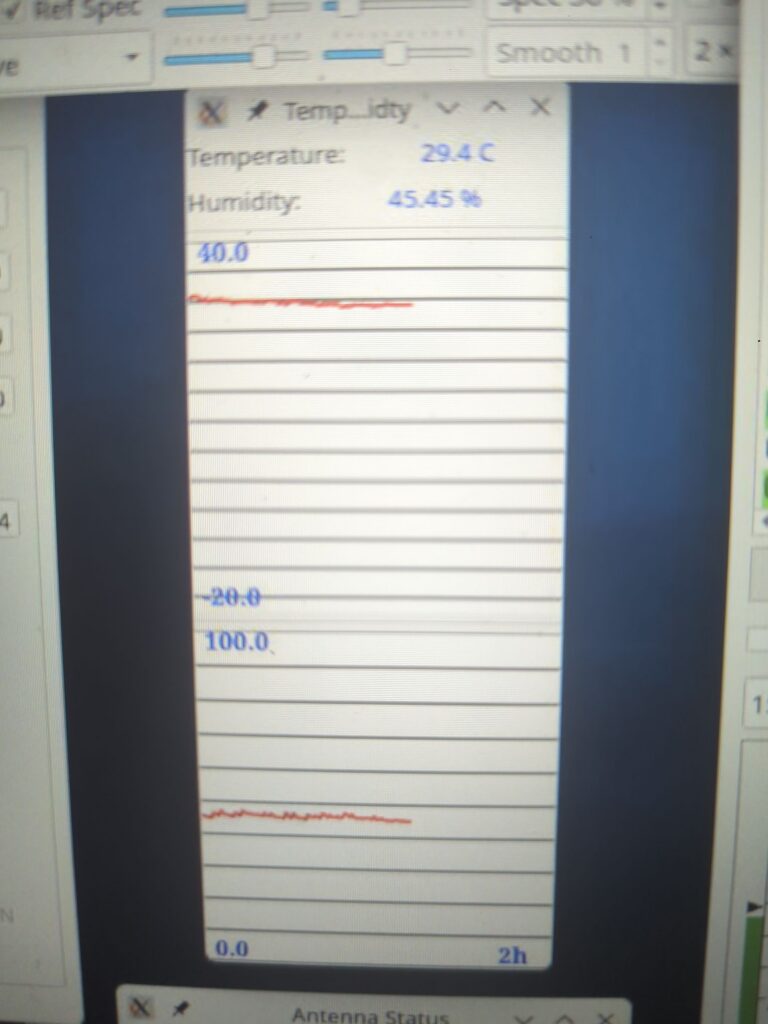
I will probably add graphing to it at some point but this will enable me to monitor my shack from remote locations. Too bad that there is no USB device that can get rid of insects! One had crawled inside the LCD display of my amplifier and now I have to figure how to get it out 🙁

Well, here is the graphing added to it:

2026 AA6KJ WPX CW (15 m)

“Bad weather” pretty much summarizes the contest for me. Both in the ionosphere and lower. Poor propagation overall and thunder storms circling my QTH. The poor propagation also drove people to other bands (except those of us who had decided to do single band). Whenever the band opened slightly to some direction, for sure there was a thunder storm in that direction and terrible QRN. My ears are still ringing from those lightning crashes – volume had to be turned up and APF on in order to copy stations. I do not want to wear headphones for a while… One could argue that it must be the lightning that fires up the ionosphere 🙂

Finally, late on Sunday afternoon the band opened to EU but then the QRN prevented me from working most of the stations. Nothing more frustrating than hearing a bunch of people calling but I can’t copy them. Then there were some minor episodes like losing the power for a bit during the contest, AC leaking condensed water into my ham shack and me being attacked by a fly swarm while trying to work. The latter was very annoying and distracting! They must have been attracted to my “contest aroma” (sweating with the AC off and no shower). And when the contest was almost over (1.5 hour left), I hear a loud rumble through my headphones and realized that a thunder storm had just developed almost exactly above my QTH. Turned off everything and pulled cables off. I kept waiting for it to go away but no, it decided not to go anywhere (game over). The timing of WPX is really bad for us due to the storm season but what can we do?

But I still managed to get 1252 QSOs and 706 prefixes. However, I am pretty sure that there are tons of copy errors because of the QRN and poor band condx (very weak signals) but that’s life…


Multi program action example

Here is an example where in one QSO (SP5EXA) RX A decoded the first message and RX B the following message. So, the QSO would not have completed (or, well, could have after retries) without the two RXs.

Here RX A was connected to inverted L and RX B to BOG-NE. The ! sign indicates that the decode was received only with that RX.

Factors affecting how BOG antennas work

My half empirical points for successful BOG antenna deployment:

  • Poor ground conductivity is good for BOGs especially when the wire is directly on the ground. Elevating the wire will reduce influence of the ground and the results will become more consistent between different QTHs. My QTH has rocky / poor conductivity ground, so longer BOGs work well. At locations with higher ground conductivity, BOGs should be shorter.
  • If you install radials, make sure that they are not too long. Three 40′ radials per end point seems to be good for 60/80/160. I also have ground rods at each end of my reversible BOG (KD9SV setup).
  • Lengths of 150′ – 300′ have been typically used. I have tried 150′, 200′ and 300′. 300′ worked best in my case. It has a good pattern on 160 m, 80 m, and 60 m. I have not tried it on 40 m since I have a 3 element beam there. Distance between the BOG wire and ground affects the wire velocity factor: closer to the ground makes it electrically longer whereas elevating it reduces its electrical length (but increases the overall signal strength). My BOG is elevated slightly (4″ from ground) and hence the optimum wire length is somewhat longer than cited elsewhere (typically approx. 225′). If rising the wire more, it will eventually become a regular Beverage antenna (and needs a longer wire).
  • Termination resistance: Elevating the BOG and increasing its length may require using a larger value termination resistor than the usual 240 ohm (in the KD9SV box). I have not observed any self-termination effects of my BOGs but I have not gone beyond 300′ in length.
  • Having the BOG elevated slightly helps prevent accumulation of leaves etc. on the wire, which can degrade the performance. This can also reduce the chance of mice, rats, squirrels etc. eating the BOG wire. It would be best to use critter resistant wire!

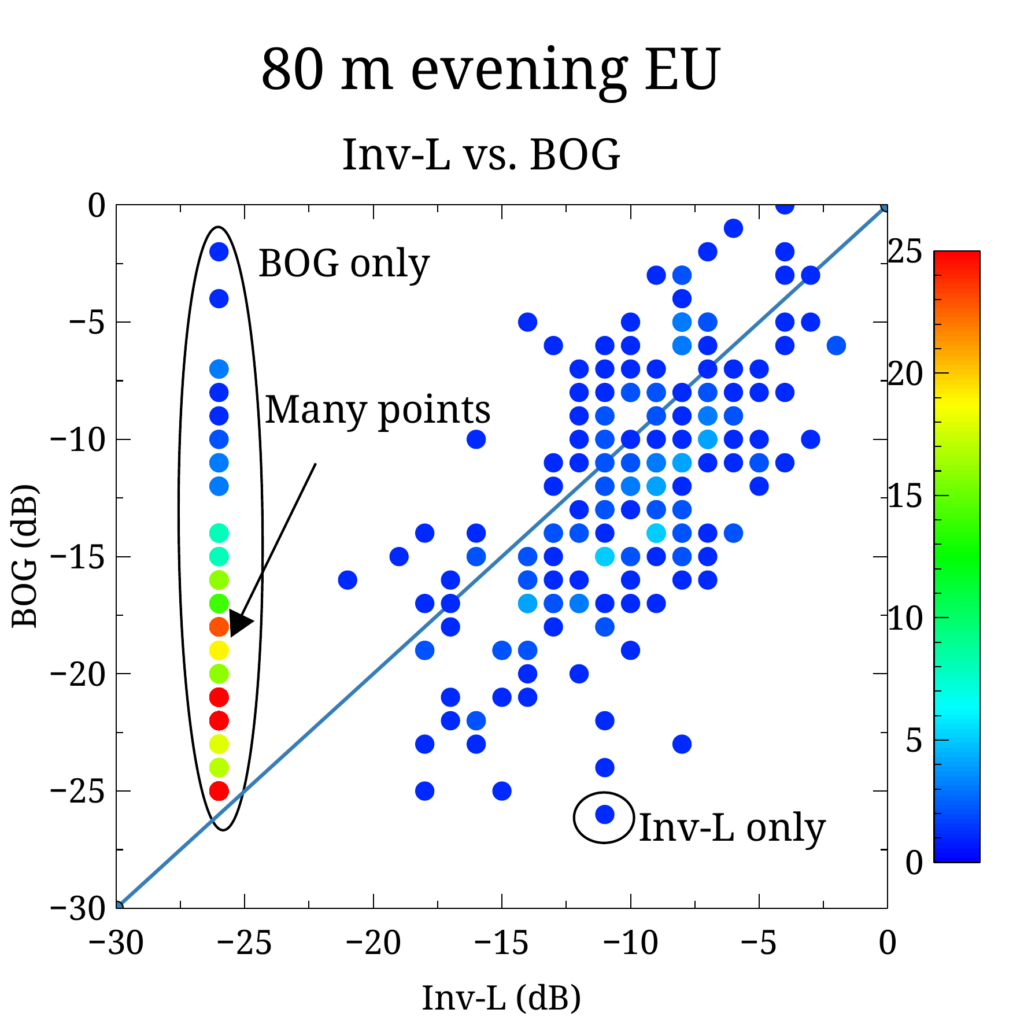
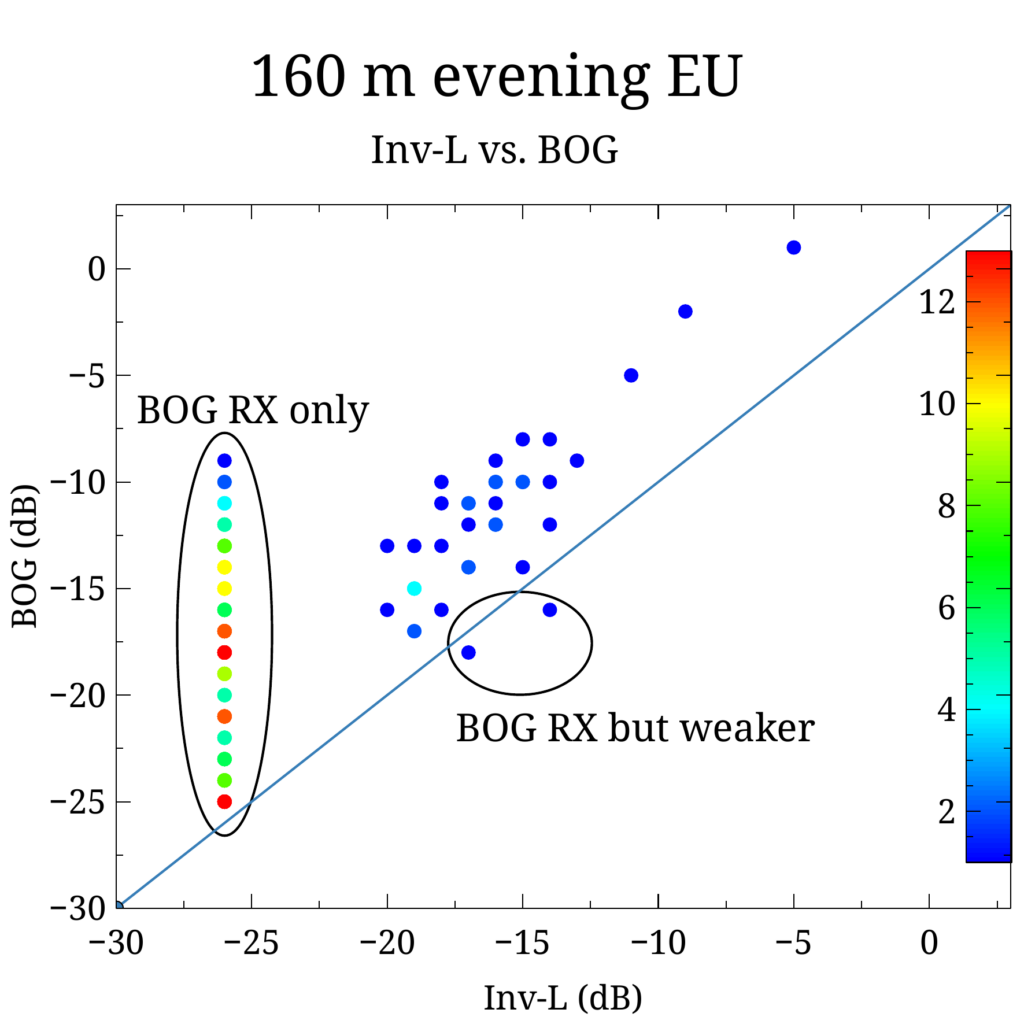
There are many stories online where some people say that BOGs work great and others that have absolutely no success with these antennas. This is presumably due to different ground conductivities at the locations. It took me a while to test various setups but now I finally have a working system. It easily beats my inverted L in receiving on 160/80/60 especially when lightning is present somewhere. But I use both when receiving on the low bands (see other posts on “multi”).

WSJT-X time adjustment tool for Linux

Wrote time adjustment tool for WSJT-X on Linux (gtk+). It can change system time and interact with the NTP (or equivalent) services to turn on/off automatic clock updating:

I tested it on Arch Linux but it should work on other distros as well. One annoying pending issue is still that when turning NTP back on, it prompts for root password. The code can be found from github.com:

https://github.com/jmeloranta/timeadj


Compile with: make
And install with: make install

By default it installs under /usr/local directory. Needs gtk+ graphics library.

WSJT-X RX aggregator (AKA “multi”)

My Elecraft K4D has two receivers that can be used for diversity receive. In order to improve my FT8 RX capabilities on 160 m and 80 m bands, I wanted to fully utilize my antennas (inverted L and Beverage on ground receiving antennas) in kind of “FT8 diversity” set up. Note that these two antennas have different polarizations as well as differences in their radiation patterns. Since there is always some small audio phase difference between the two RXs, it is not a good idea to try to add them together to form a single audio stream and then decode the resultant signal with WSJT-X. Instead, I decided to feed audio from the two RXs into two separate decoders. But, of course, WSJT-X does not currently support this kind of setup. This is kind of “diversity” receive within the limitation of the 15 second RX period of FT8. The quotes emphasize that this is not the same diversity receive that one can do on CW/SSB but corresponds to two separate simultaneous decodes using the two RXs.

In the first iteration I ran two separate WSJT-X instances – one for each RX. While it did work, it was a rather clumsy approach. One of the WSJT-X instances was the master (responsible for running QSO) and the second one was just receiving. If only the second RX received a decode but the first one did not then one would have to manually account for this during QSO. Very easy to mess things up! By the way, this is a great way to compare antennas (for FT8 mode). However, the situation with true diversity receive on CW/SSB may be different with those antennas. In other words, the mode must always be considered when comparing antennas.

So, I decided to write a “middle man” program that sits between WSJT-X GUI and the decoder (program called JT9). This still requires running two WSJT-X (2nd with the -r option) instances so that they both feed their audio data to the corresponding shared memory blocks. The second WSJT-X (“slave”) just hangs around and does nothing. The first WSJT-X (“master”) instance gets all the decodes from the middle man. Normally JT9 picks up the data from these blocks, performs decode, and reports back to WSJT-X. In order to have everything passed to the same WSJT-X, the middle man program must get audio data from both WSJT-X instances, run JT9 on them, combine the decodes and report back to the master WSJT-X. WSJT-X eliminates multiple decodes that it receives, so the middle man should eliminate duplicates that come from both RXs in such way that the weakest SNR decode is discarded. Another decode that must be eliminated is my own transmission which appears on the audio feed of the second RX. To indicate where the decode came from, labels ‘a’, ‘b’, or ‘=’ are added to the decoded lines (replaces the ~ character in the original format output). Label ‘a’ means that the decode from the first RX was used (as it had the best SNR), ‘b’ it came from the second RX and the equal sign indicates that both were equally good. I may add the dB difference in the output at some point. But that information is already available by runinng two separate WSJT-X instances.

The code I came up with is on github: https://github.com/jmeloranta/multi . Since the JT9 executable path is hardcoded into WJST-X GUI, the installation is a bit clumsy, see install-multi script.

Be careful not to overwrite the original jt9 program (perhaps make a backup copy). Then start two WSJT-X processes (the default settings assume -r 2; determines the shared memory block name):

$ (wsjtx &); (wsjtx -r 2 &)

This is done in script called start-multi. The first one should have audio input set to left stereo channel and the second right stereo channel. The radio needs to be in the diversity receive mode so that both RXs are active and have the same behavior. The slave WSJT-X can be minimized (but do not quit it). QSOs can be run normally using the master WSJT-X. Adjust the audio levels in both WSJT-X’s so that they are about the same. Also, need to turn off rig control on the slave WSJT-X – otherwise it will clash with the master.

This is what it looks like:

The above test (sorry about the fuzzy image) was run on 10m with the two RXs having different audio levels in order to have some difference between them. I will find out tonight how this will work on 160 m and 80 m. Update: Since it is summer time, there is lightning all over the place. At this time of the year my BOG antenna beats the inverted L in receiving pretty much all the time. During winter time the situation will be different though.

The current signal indicator limits are:
= means both RXs are within 2 dB of each other
a means that RX a is more than 2 dB better than b
b means that RX b is more than 2 dB better than a
A means that RX a is more than 8 dB better than b
B means that RX b is more than 8 dB better than a
Additionally, if either RX misses the decode completely, this is indicated by adding ‘!’ character after the above indicator.

The actual S/N numbers can be recorded by specifying COLLECT_STATS environment variable in start-multi script.

The top waterfall corresponds to RX a and the bottom to RX b.

Also, there are now two helper scripts to set up a separate WSJT-X installation under /usr/local that won’t interfere with the main installation (see the github repo). Read those scripts before running them! But the basic installation goes (installer works only on Arch Linux):

$ make
$ sudo ./install-multi

Before using start-multi script, change your call sign in it & see if you want to use some of the options there. To start the program use (remember to configure both WSJT-X instances; see above):

$ start-multi

NOTE: The filtering capability of WSJT-X improved does not work well with the “middle man” (multi). I don’t know why but you need to disable the filters. There is a built-in filter capability in multi (see FILTER and CONTINENT environment variables in start-multi script). Since two decoders are run simultaneously, it may be a good idea to only use 2-stage decoding as 3-stage can be too slow (and lead to missed decodes).