
My Elecraft K4D has two receivers that can be used for diversity receive. In order to improve my FT8 RX capabilities on 160 m and 80 m bands, I wanted to fully utilize my antennas (inverted L and Beverage on ground receiving antennas) in kind of “FT8 diversity” set up. Note that these two antennas have different polarizations as well as differences in their radiation patterns. Since there is always some small audio phase difference between the two RXs, it is not a good idea to try to add them together to form a single audio stream and then decode the resultant signal with WSJT-X. Instead, I decided to feed audio from the two RXs into two separate decoders. But, of course, WSJT-X does not currently support this kind of setup. This is kind of “diversity” receive within the limitation of the 15 second RX period of FT8. The quotes emphasize that this is not the same diversity receive that one can do on CW/SSB but corresponds to two separate simultaneous decodes using the two RXs.
In the first iteration I ran two separate WSJT-X instances – one for each RX. While it did work, it was a rather clumsy approach. One of the WSJT-X instances was the master (responsible for running QSO) and the second one was just receiving. If only the second RX received a decode but the first one did not then one would have to manually account for this during QSO. Very easy to mess things up! By the way, this is a great way to compare antennas (for FT8 mode). However, the situation with true diversity receive on CW/SSB may be different with those antennas. In other words, the mode must always be considered when comparing antennas.
So, I decided to write a “middle man” program that sits between WSJT-X GUI and the decoder (program called JT9). This still requires running two WSJT-X (2nd with the -r option) instances so that they both feed their audio data to the corresponding shared memory blocks. The second WSJT-X (“slave”) just hangs around and does nothing. The first WSJT-X (“master”) instance gets all the decodes from the middle man. Normally JT9 picks up the data from these blocks, performs decode, and reports back to WSJT-X. In order to have everything passed to the same WSJT-X, the middle man program must get audio data from both WSJT-X instances, run JT9 on them, combine the decodes and report back to the master WSJT-X. WSJT-X eliminates multiple decodes that it receives, so the middle man should eliminate duplicates that come from both RXs in such way that the weakest SNR decode is discarded. Another decode that must be eliminated is my own transmission which appears on the audio feed of the second RX. To indicate where the decode came from, labels ‘a’, ‘b’, or ‘=’ are added to the decoded lines (replaces the ~ character in the original format output). Label ‘a’ means that the decode from the first RX was used (as it had the best SNR), ‘b’ it came from the second RX and the equal sign indicates that both were equally good. I may add the dB difference in the output at some point. But that information is already available by runinng two separate WSJT-X instances.
The code I came up with is on github: https://github.com/jmeloranta/multi . Since the JT9 executable path is hardcoded into WJST-X GUI, the installation is a bit clumsy, see install-multi script.
Be careful not to overwrite the original jt9 program (perhaps make a backup copy). Then start two WSJT-X processes (the default settings assume -r 2; determines the shared memory block name):
$ (wsjtx &); (wsjtx -r 2 &)
This is done in script called start-multi. The first one should have audio input set to left stereo channel and the second right stereo channel. The radio needs to be in the diversity receive mode so that both RXs are active and have the same behavior. The slave WSJT-X can be minimized (but do not quit it). QSOs can be run normally using the master WSJT-X. Adjust the audio levels in both WSJT-X’s so that they are about the same. Also, need to turn off rig control on the slave WSJT-X – otherwise it will clash with the master.
This is what it looks like:
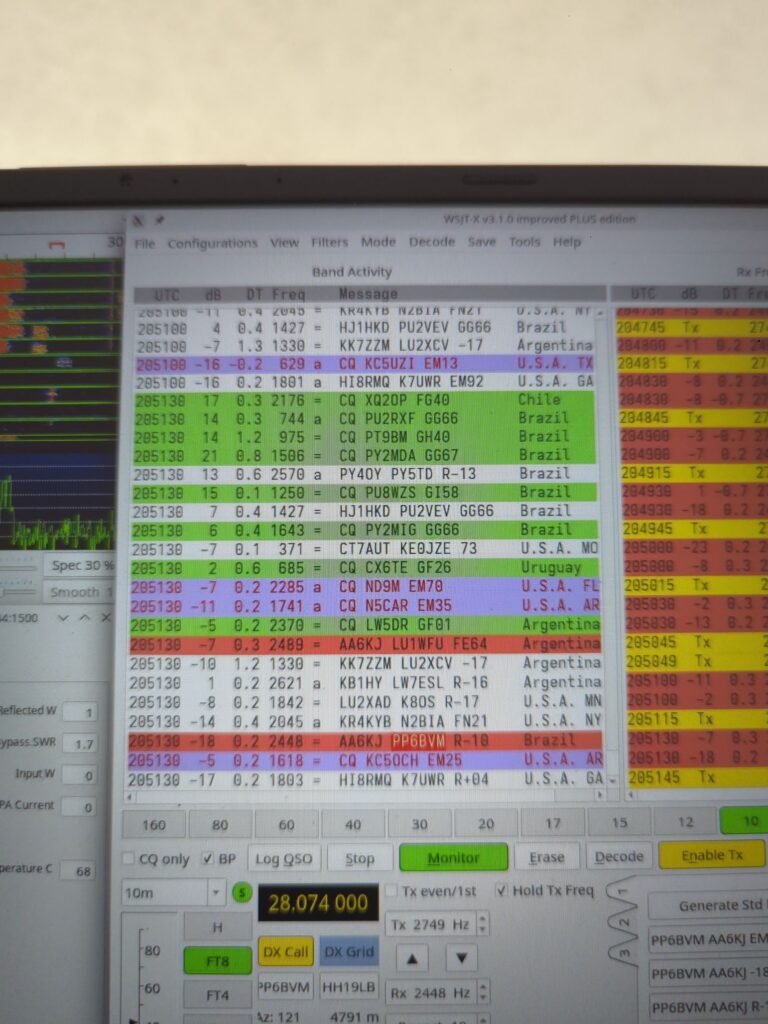
The above test (sorry about the fuzzy image) was run on 10m with the two RXs having different audio levels in order to have some difference between them. I will find out tonight how this will work on 160 m and 80 m. Update: Since it is summer time, there is lightning all over the place. At this time of the year my BOG antenna beats the inverted L in receiving pretty much all the time. During winter time the situation will be different though.
The current signal indicator limits are:
= means both RXs are within 2 dB of each other
a means that RX a is more than 2 dB better than b
b means that RX b is more than 2 dB better than a
A means that RX a is more than 8 dB better than b
B means that RX b is more than 8 dB better than a
Additionally, if either RX misses the decode completely, this is indicated by adding ‘!’ character after the above indicator.
The actual S/N numbers can be recorded by specifying COLLECT_STATS environment variable in start-multi script.
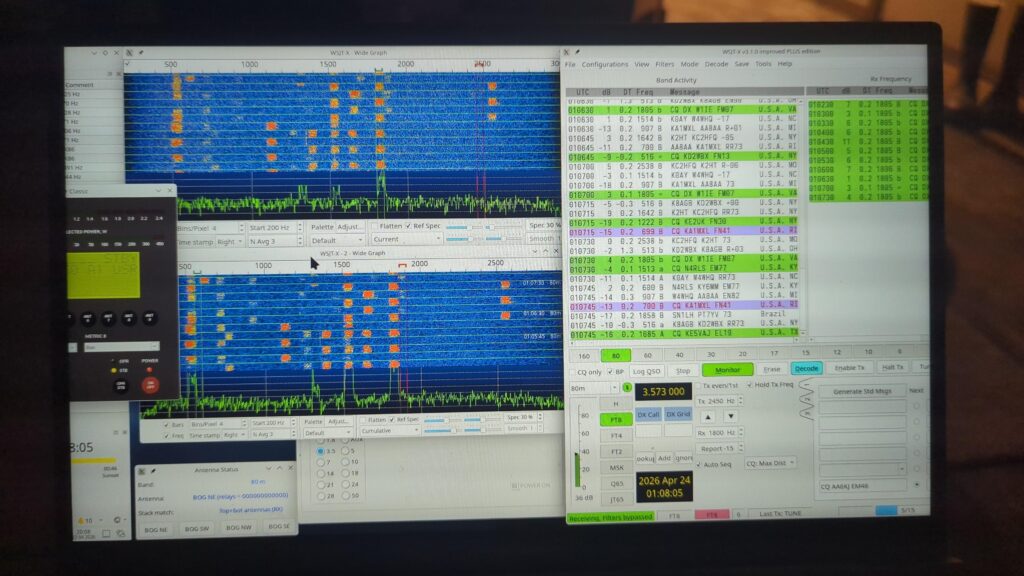
The top waterfall corresponds to RX a and the bottom to RX b.
Also, there are now two helper scripts to set up a separate WSJT-X installation under /usr/local that won’t interfere with the main installation (see the github repo). Read those scripts before running them! But the basic installation goes (installer works only on Arch Linux):
$ make
$ sudo ./install-multi
Before using start-multi script, change your call sign in it & see if you want to use some of the options there. To start the program use (remember to configure both WSJT-X instances; see above):
$ start-multi
NOTE: The filtering capability of WSJT-X improved does not work well with the “middle man” (multi). I don’t know why but you need to disable the filters. There is a built-in filter capability in multi (see FILTER and CONTINENT environment variables in start-multi script). Since two decoders are run simultaneously, it may be a good idea to only use 2-stage decoding as 3-stage can be too slow (and lead to missed decodes).
Update: Multi now works with the new WSJT-X improved (called WS).